
Most creators know Amazon Associates, the affiliate scheme behind the product links in video descriptions. The Amazon Influencer Program is a separate program that sits on top of it. Approved creators get their own page inside Amazon, at amazon.com/shop/ followed by their name, where they can publish product videos, build recommendation lists and broadcast live to people who are already shopping.
That last part is the point. On YouTube, viewers show up to learn or be entertained. On Amazon, they show up with a card saved and a purchase half decided, so content placed there tends to convert at a higher rate.
This guide covers what the program includes, how applying works, its three levels, and the practical details of going live.
Amazon Influencer Program vs Amazon Associates
The two programs get mixed up constantly, so it helps to separate them.
Amazon Associates is the link program. You share a link, someone clicks through and buys, and you earn commission on the purchase. You also earn on anything else that person buys during the same session, roughly within 24 hours of clicking. Plenty of creators find that around half of what earns them commission was never linked to directly.
The Influencer Program is about content hosted on Amazon itself. Instead of sending people to Amazon through links, you create videos and live streams that appear on Amazon’s own pages. When you join, you connect the program to your Associates account, and commissions from your videos and streams flow through that account. If your Associates setup already exists, there is little extra admin.
If you want the wider picture of where Amazon’s money comes from and why it invests so heavily in creator content, our breakdown of how Amazon makes money is a good companion read.
What you get: a storefront and a live page
Every influencer gets two pages. The storefront, at amazon.com/shop/yourname, holds your curated product lists, called idea lists, along with your shoppable videos and your most recent live stream at the top. A tech creator might keep one list of studio gear and another for people improving their Zoom setup.
The second page, at amazon.com/live/yourname, is where your live streams live. Past streams stay watchable there, and their featured products stay clickable, so a stream can keep earning clicks after broadcast.
At the time of the walkthrough behind this post, the video and live features ran on the US store only. Shoppers elsewhere could visit a storefront page, but the videos did not appear on their local Amazon sites.
The two kinds of content you can make
Shoppable videos
These are recorded videos about a specific product, uploaded to Amazon. They appear on that product’s page, down among the images and reviews, where a shopper weighing up a purchase can watch a quick review before deciding.
Short works better here. Most effective shoppable videos run between one and four minutes, because the viewer is mid-decision rather than settling in to watch. You can publish more than one video about the same product: an unboxing, a quick review, a one-year-later follow-up. You also do not need to have bought the product from Amazon. It just needs to be a product Amazon sells.
Ordinary customers can upload video reviews of things they bought, but that is a different system from influencer videos on the product page.
Amazon Live streams
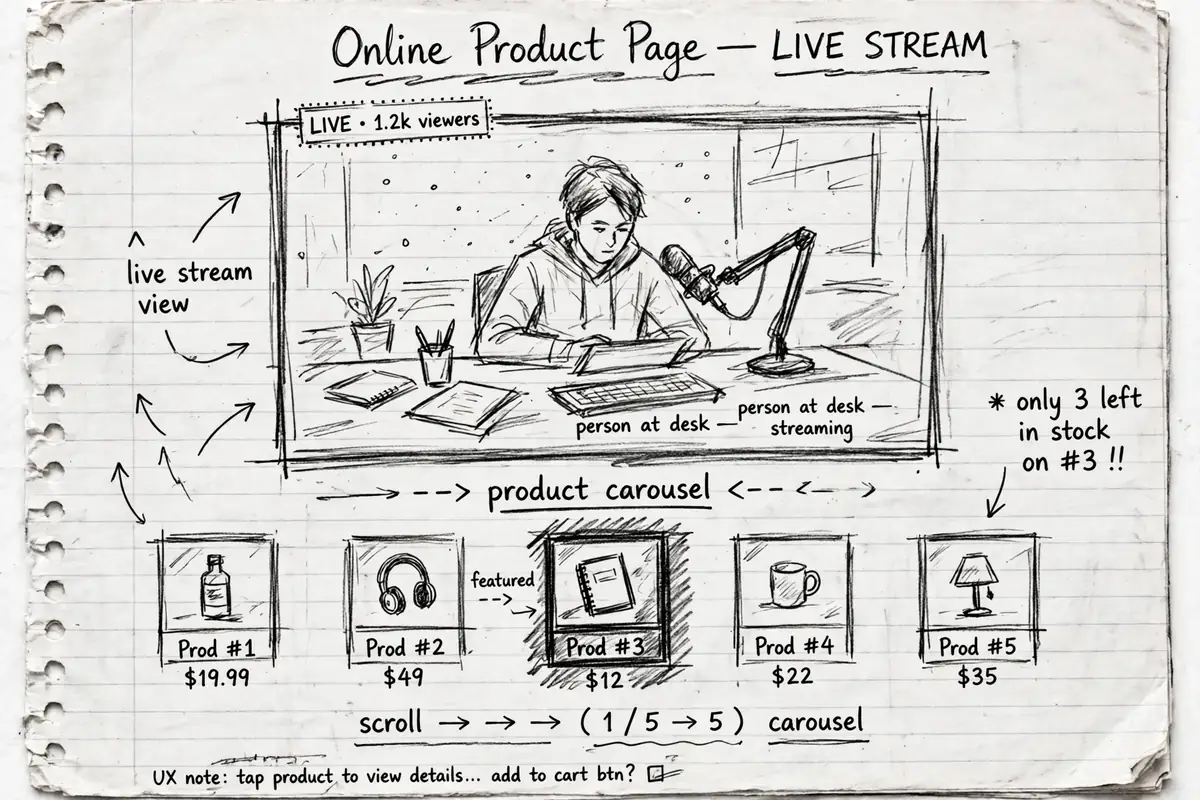
Live streams work differently. When you go live, your stream can appear on the product pages of the items you are talking about. If a shopper lands on a microphone’s page while a creator is live discussing that microphone, the stream sits right there on the page. Streams also appear on the Amazon Live home page, where viewers browse by category.
Each live stream has a product carousel along the bottom. You must feature at least one product, and can add up to 40. Whichever product you highlight is the one viewers see front and centre, and it connects your stream to that product’s page.
How to join the Amazon Influencer Program
The application is simple, even if the decision is not. You sign up through the Amazon Influencer Program page using your existing Amazon account. If you already have an Associates account, use that same account so the two connect cleanly.
Amazon then asks for one of your social platforms, such as YouTube, Instagram or Facebook, and links it to your application. It reviews that account and decides whether you qualify. If you are accepted, you set up your storefront with a banner, title and description, and you are in.
There is no published checklist to pass. Unlike the YouTube Partner Program, which states its thresholds openly, Amazon does not say what it is looking for. Rejection is not final either. You can apply again later as your audience grows.
How many followers do you need for the Amazon Influencer Program?
This is the question everyone asks, and Amazon has never answered it with a number. There is no official minimum follower count, and no creator seems to have a reliable answer for where the line sits.
The walkthrough behind this post gives one real data point. The host started applying at around 500 YouTube subscribers and was turned away. He kept reapplying as the channel grew and was accepted at just under 2,000 subscribers, around 1,950. The attempt before that, somewhere near 1,500 subscribers, had also failed.
Treat that as an anecdote, not a threshold. It does suggest two practical things: a small channel is unlikely but not impossible, and reapplying costs nothing, so applying early and repeating the attempt as you grow is a reasonable strategy. Engagement may matter as much as the raw count, though Amazon does not confirm its criteria.
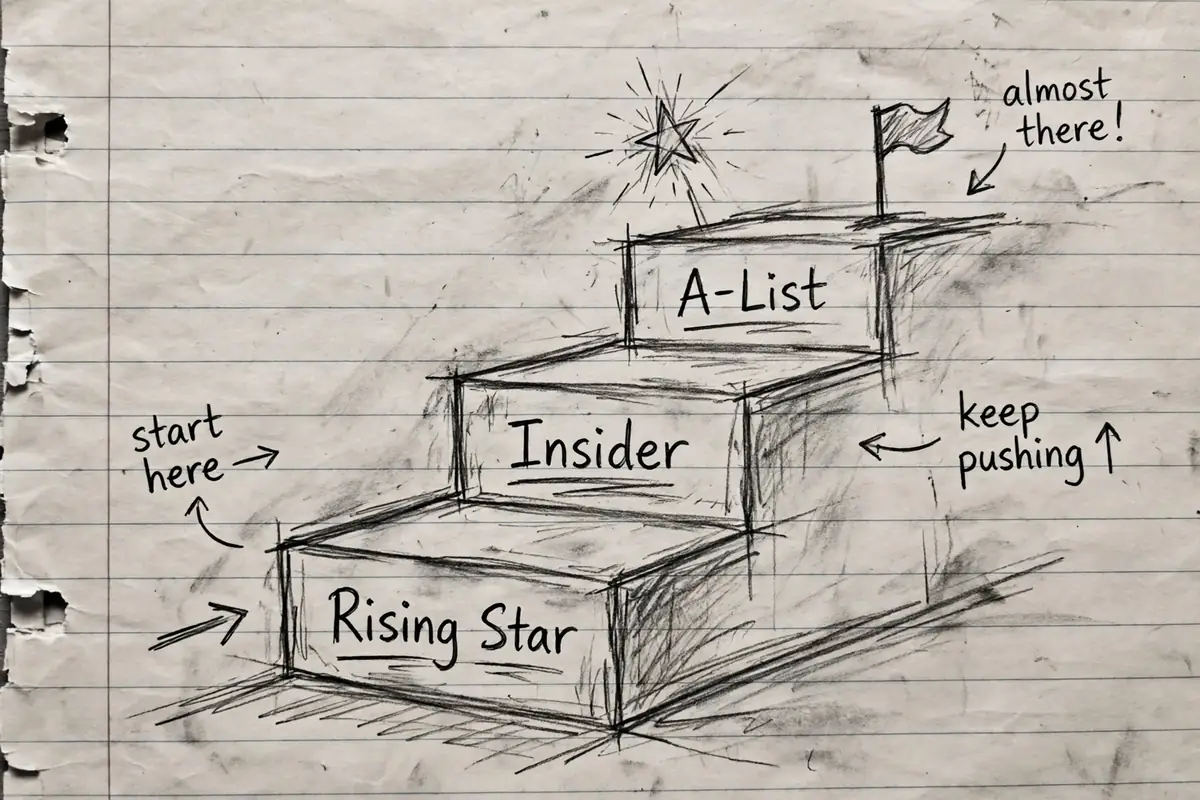
The three levels: Rising Star, Insider and A-List
New members start as a Rising Star, a probationary level. Your videos and live streams are not promoted anywhere: no Amazon Live home page, no product pages. Amazon is checking that you can actually produce content before giving it placement.
Moving up to Insider
To reach Insider, you need 90 minutes of live streaming in total. It does not have to be one stream. Three half-hour streams count just the same. Once you have the minutes, you apply from inside the app. Amazon says approval can take up to 10 days, though the creator in the walkthrough was approved within 48 hours.
At Insider level your placement switches on. Your streams and videos become eligible to appear on product detail pages and on the Amazon Live site, including top-of-page placement.
What A-List takes
A-List is the top level, and its requirements are published inside the app:
- 2,000 followers on Amazon
- Either 100 units sold through your content, or $5,000 worth of products shipped
Most creators who reach 2,000 followers have probably cleared the sales side already. A-List members get eligibility for placement on the amazon.com home page, priority support from the creator team, and access to special Amazon Live events.
Going live: phones, stream keys and a 720p ceiling
Managing Amazon Live is slightly odd if you are used to streaming elsewhere. Streams are created and controlled through the Amazon Live Creator app, which at the time of the walkthrough was iOS only, for iPhone and iPad, with no Android version. Scheduling, thumbnails and your carousel all live in the app.
You have two ways to broadcast. The simple route is your phone or iPad camera. The other is an external camera setup: the app gives you an RTMP stream key, which you paste into software such as Ecamm Live, OBS, StreamYard or Restream as a custom destination. Your software sends the feed to Amazon, but nothing goes live until you press the button in the app. It is a two-step start, and it catches people out.
A few more details worth knowing before your first stream:
- Amazon caps streams at 720p, and there is a minimum bitrate. Some software detects Amazon automatically and sets both for you.
- There is a practice mode. It gives you a private link so you can rehearse the whole process, carousel included, with nobody watching. Use it.
- Viewers landing on a product page see your stream muted by default. Experienced streamers put an on-screen reminder telling people to unmute.
- After a stream, the app shows views, unmuted views, product clicks, click-through rate and average view duration. The unmuted figure separates people who actually watched from people who scrolled past.
For one honest reference point: the walkthrough host’s first stream, a studio tour with audio problems he only spotted afterwards, still picked up 63 views and 22 product clicks. Small numbers, but real ones, from a standing start.
A realistic way to think about it
The Influencer Program is not a shortcut to an income, and it will not replace an audience you have not built yet. What it offers is placement: your content inside the world’s largest store, in front of people already reaching for their wallets, on pages that keep working after you log off. That makes it a sensible second home for product-focused content if you already review or demonstrate things elsewhere. If you are building toward a bigger income goal, our guide to how to make your first million lays out the longer game this kind of work fits into.
Disclaimer: this post is educational information about how the Amazon Influencer Program works. It is not financial advice, and no earnings result is promised or implied.